


1:1 learning or one-to-one learning is an approach where each learner has access to a portable, networked digital device, such as a notebook or tablet, which can connect each learner with their teacher, other learners or experts, with real-world contexts for
learning, multimedia resources, software for learning and online tools and applications.
This approach enhances student learning as it brings personalized instructions, provides students with a freedom to learn at their own pace and offers different kinds of learning resources. There is nothing exclamatory that most of the organizations are eagerly waiting to implement one-to-one learning in their classrooms as they consider it highly effective and efficient. Unfortunately, many administrators are not much aware of which technological device they can use in the classroom in order to get high efficiency. As we know, the world is rapidly changing and every day a new technology is entering into the market, educational technologies are also being updated from time to time. After discussing this topic with many educators, I’d like to recommend Chromebooks as one of the great options for 1:1 learning. Let’s learn about why Chromebooks are efficient in one-to-one learning.
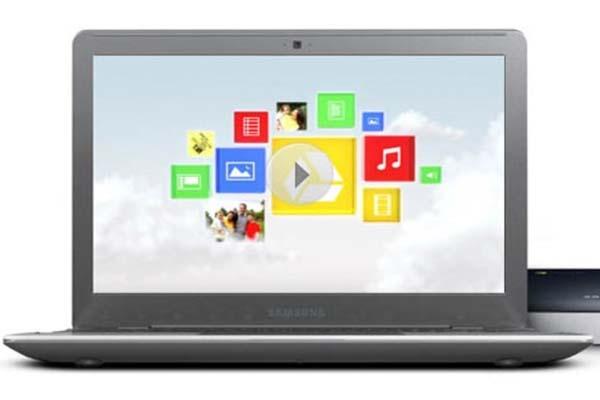
Chromebook (seems like a laptop at the first glance) is a device that is built and optimized for web. It is a specialized notebook that aims to provide the best web experience by offering a faster, simpler and more secure interface, where the users can spend most of their computing time. It features the Chrome OS designed specially by Google for web applications. In 1:1 learning, students interact with other learners and educators using various web platforms. So, there is no doubt thatChromebook can be a great tool to enhance student learning.
Chromebooks are easy to use and boot up quick (Adam Greenblum’s approach):
“Chromebooks make sense for schools, as they are easy to use and easy to manage. Also, Chromebooks boot up fast, so students don’t have to wait halfway through class for their laptop to be ready.”-Adam Greenblum, an expert educator.
As mentioned earlier, though laptops and Chromebooks look alike, laptops use a wide range of Operating Systems whereas, Chromebooks use the Chrome OS that is specially built for web applications. Students can easily access Chromebooks as they have a user friendly interface. Unlike laptops, Chromebooks don’t need much time to boot up, so, using a Chromebook can save a lot of time. They startup in just 6 seconds, estimate how much time is saved for every class each year.
Donna Teuber shares about Chromebooks program in her school Richland School District Two , Columbia, SC:
Donna Teuber, Technology Integration Coordinator at Richland School District Two, says that the district includes 18 elementary schools, seven middle schools, five high schools, four magnet centers and two alternative centers. Richland Two became a Google Apps for Education user in July 2011; and immediately afterward launched a 1-to-1 Chromebooks program.
“We started with the fifth and sixth grades and one-third of the high school in 2011. This school year we added grades four and seven, and another third of the high school. By August 2013 we will be fully 1-to-1 for all grades 3-12.”- Teuber.
The district currently has 14,500 devices in use, mostly Chromebooks. This number will increase to 20,000 by September, including 1,300 iPads, Teuber notes.
Benefits of Chromebooks over other devices:
According to Teuber, Chromebooks are beneficial for various reasons:
Chromebooks cost only a fraction of the cost of laptops.
Configuring the devices was simple, and there was little maintenance required with the Chromebook.
Teuber said that she had to hire two new technologists last year to maintain the devices, but estimated she would have needed to hire nine new staffers to maintain the same number of laptops.
Jackcwest’s view:
“Chromebooks are an excellent machine for all day use of cloud-based applications. There is very little that cannot be done in the cloud, and there is very little in the cloud that can’t be done on a Chromebook.”- Jack Wset , Physics Educator, EdTech Expert, California.
Jack has written an awesome article on “Why the Chromebook Matters”. You may read it here .
Peter Vogel says Chromebooks are near-zero maintenance device:
We’ve had Chromebooks in our school since March 2011. They’ve been terrific. As long as your wireless backbone is up to the task, the Chromebooks really are near-zero maintenance devices. No wonder tech people in some jurisdictions are reluctant to deploy them!
I hope this information is useful for you to know about why Chromebooks are a good option for 1:1 learning. I’d like to know about how efficiently you’re using Chromebooks in your school or classroom. Please feel free to share with us your views as well as practices in the comment box.

